Code sharing | Scoreboard

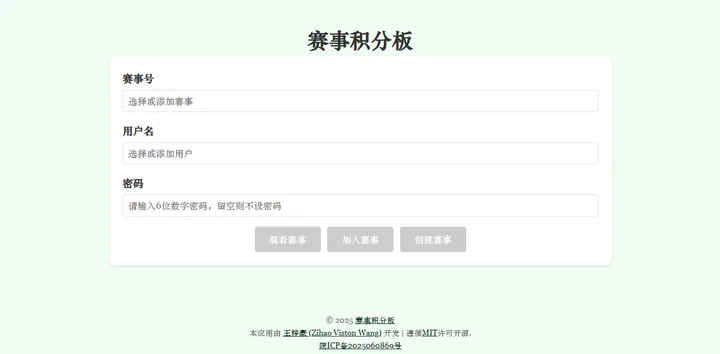 Web Application Login Page
Table of Contents
Scoreboard
This is a real-time, flexible web application for event scoring statistics
© 2025 Scoreboard
Project Release Page
- My home page:
- GitHub:
Preview
Demonstration
-
Clicking on a username in the points list that does not belong to you will open the transfer page.
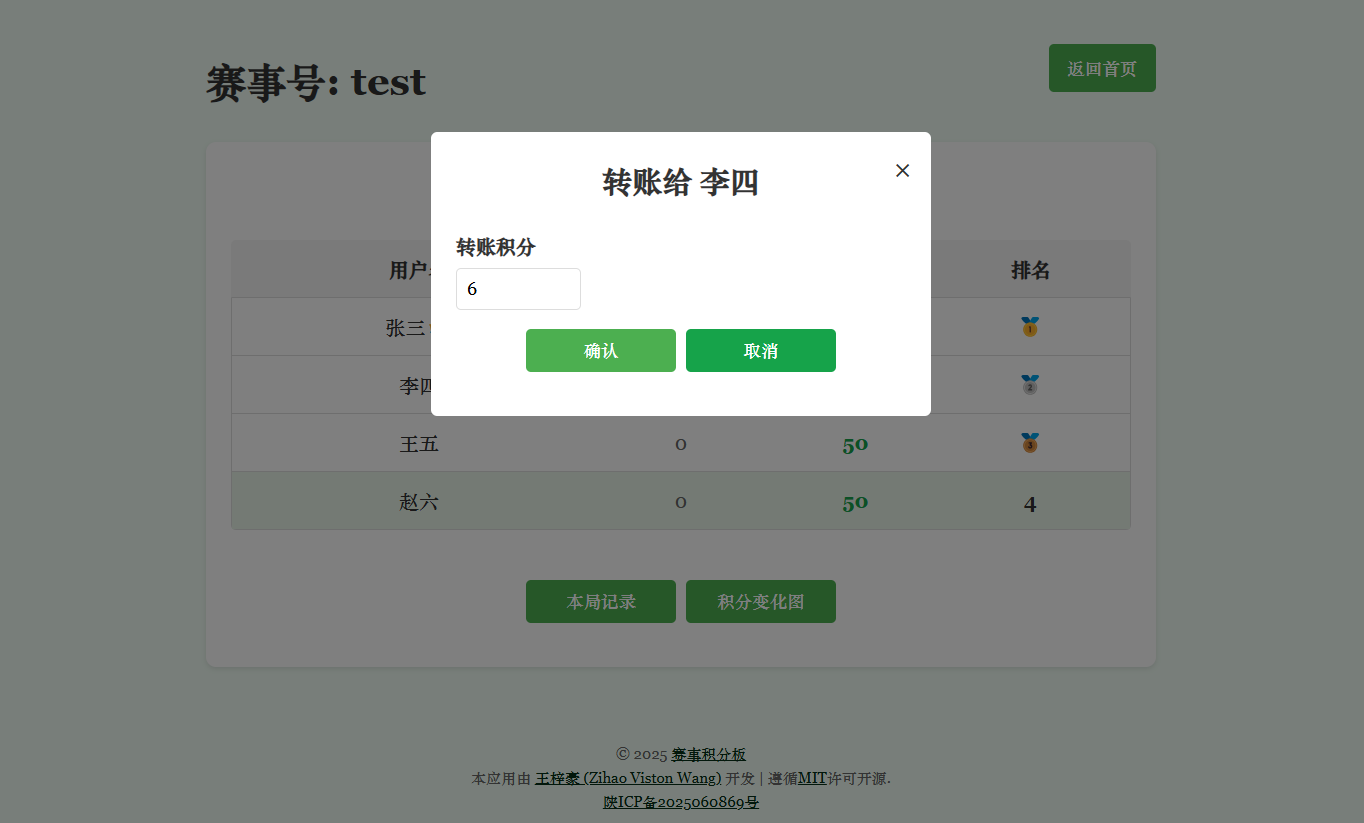
Figure 1. Transfer page
-
Clicking the “本局记录” button will allow you to view the score transaction details for this round.
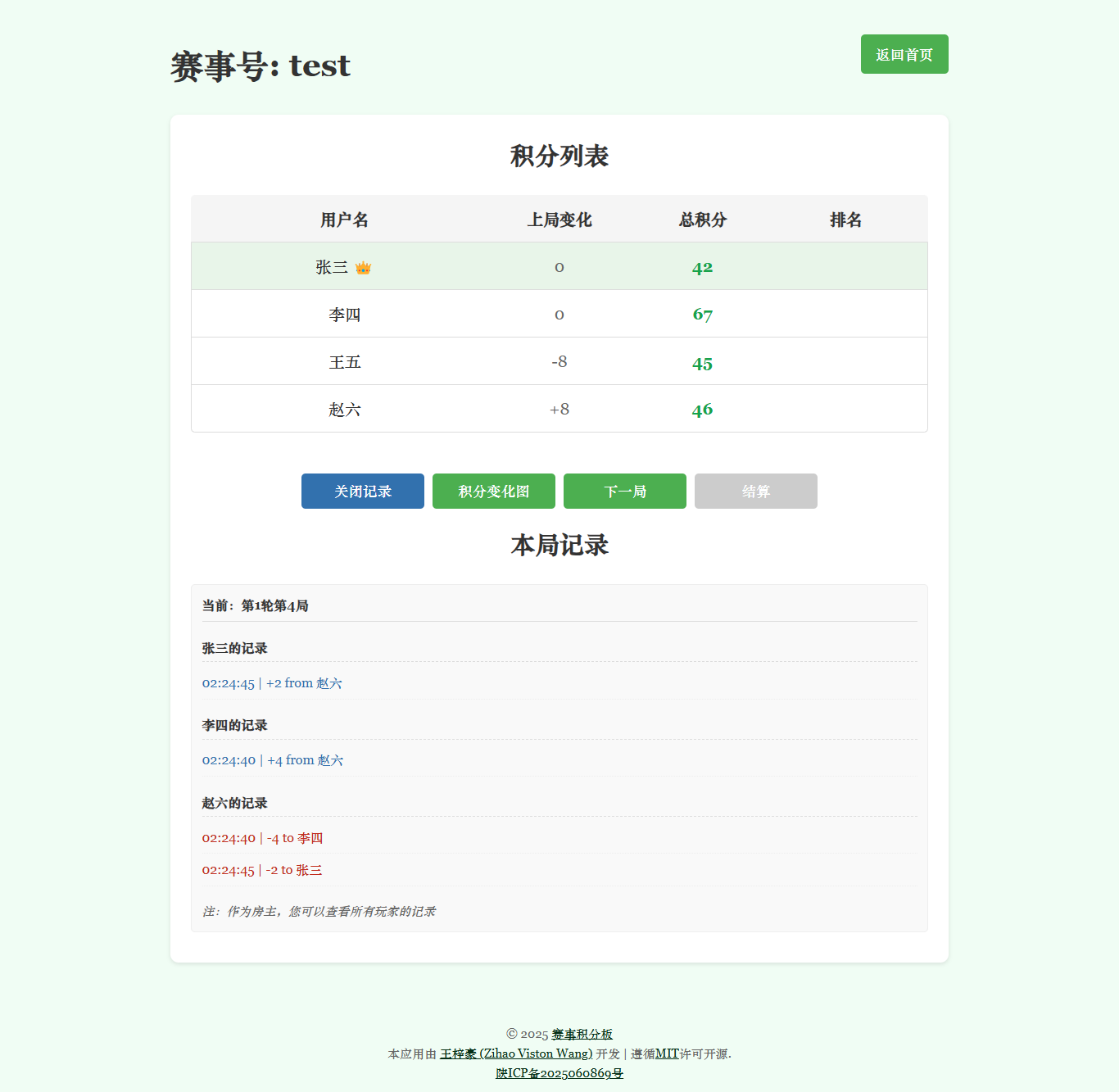
Figure 2. Score List and Current Round Record
-
Clicking the “积分变化图” button will allow you to view the complete score variation chart for this competition room.
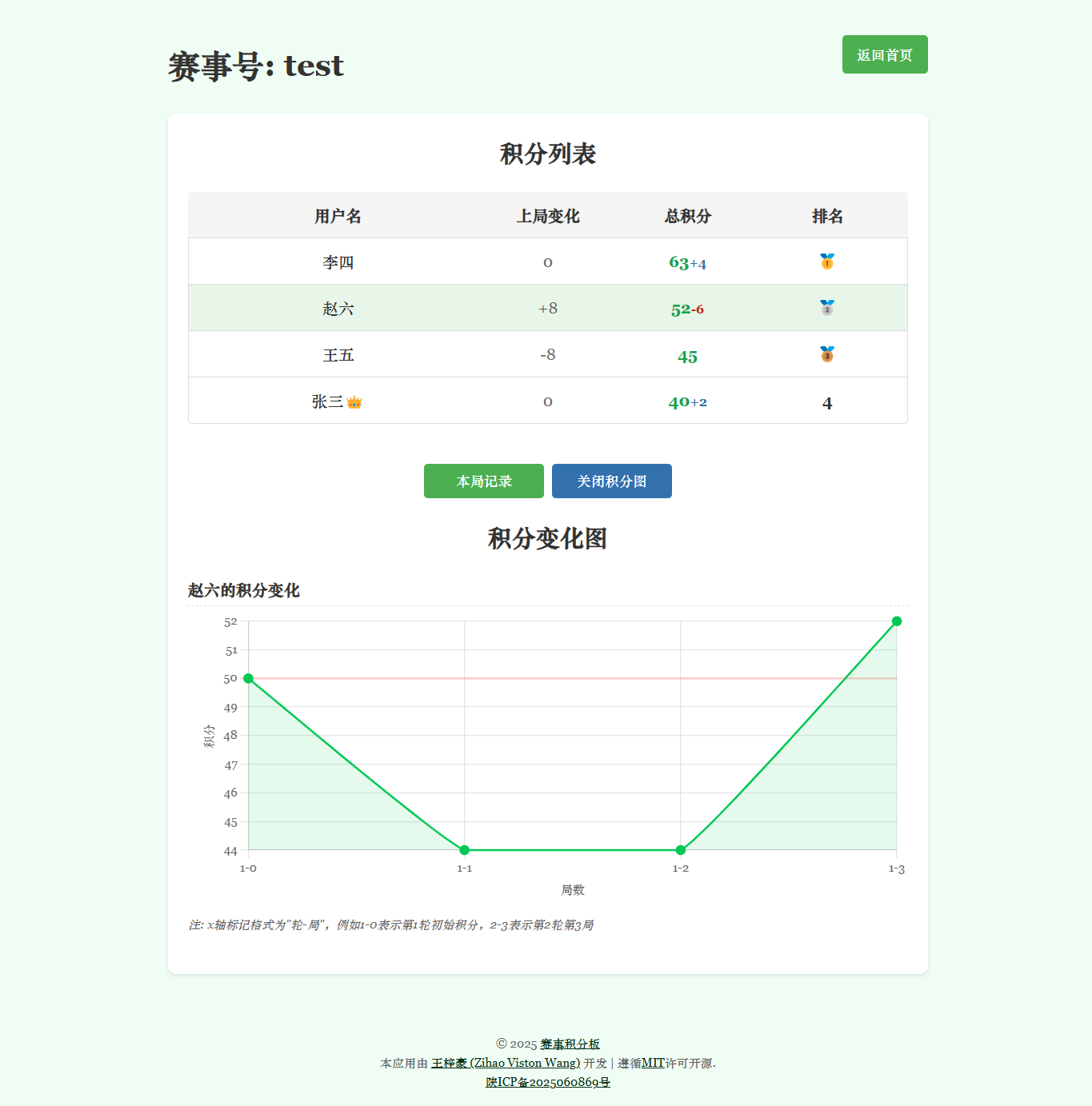
Figure 3. Score List and Score Variation Chart
Code Repository
- This project is open-source under the MIT license.
- Click to access the GitHub repository.
Features
-
Home Page
- Users can select from an existing user list or add new users.
- Create new competitions or join existing ones.
- Set initial scores for all users when creating a competition (default is 50 points).
- Supports “zero-sum” and “non-zero-sum” scoring modes.
- Optional password protection for user accounts (6-digit numeric).
-
Competition Room Page
- Displays scores and rankings for all users in the competition.
- Highlights the current user.
- The host user is marked with a special identifier (👑).
- Click on other users to transfer points.
- Real-time automatic updates of the score list.
- Displays score changes from the previous round.
- View the transaction records for the current round.
- View the score variation chart.
- Supports negative score recording, allowing users to transfer more points than they possess.
-
Competition Management
- The host can control the “Next Round” and “Settlement” functions.
- Supports multi-round competition records.
- Generates detailed settlement reports.
- Guest mode allows non-participants to watch the competition.
Installation and Running
Prerequisites
- Python 3.6+
- Flask
Install Dependencies
pip install flask
Run the Application
Execute the following command using Python:
python app.py
After starting, access the application in your browser at http://127.0.0.1:16868.
Project Structure
/
├── app.py              # Main Flask application
├── /templates/         # HTML templates
│   ├── index.html      # Home page
│   ├── room.html       # Room page
│   └── error.html      # Error page
├── /static/            # Static resources
│   ├── /css/           # Stylesheets
│   └── /js/            # JavaScript files
│       ├── chart-manager.js   # Chart management
│       ├── logs-manager.js    # Log management
│       ├── room-manager.js    # Room management
│       ├── settlement.js      # Settlement functions
│       └── main.js            # Main script
└── /data/              # Stores competition data (JSON format)
User Instructions
-
Create or Join Competitions
- Select an existing user or add a new user.
- Optionally add a 6-digit numeric password for account protection.
- Set initial scores (default is 50 points) and choose between zero-sum and non-zero-sum modes when creating a competition.
- Click the “Create Competition,” “Join Competition,” or “Watch Competition” buttons.
-
Operations within the Competition Room
- Point Transfer: Click on another user, enter the transfer amount, and confirm.
- View Records: Click “Current Round Record” to see transfer details for the ongoing round.
- Score Chart: Click “Score Variation Chart” to view score trends.
- Next Round: The host can click “Next Round” to start a new round of competition (when available).
- Settlement: The host can click “Settlement” to generate a report for the current phase (when available).
-
Special Features
- Guest Mode: No registration required; allows real-time viewing of competition progress.
- Settlement Reports: Expand to view details of historical settlement reports.
- Host Permissions: Control over the competition process.
Security and Data
- All data is stored in JSON format within the data directory.
- Optional password protection for user accounts.